
Place the Keycaps FAQ
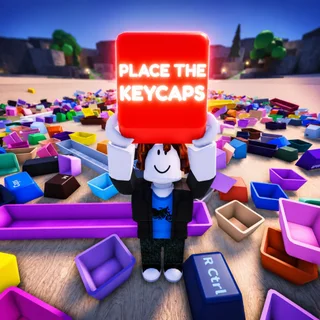
Short answers for the first questions about Place the Keycaps: price, beta status, controls, completion, badges, codes, and feedback. Each answer sticks to first-party facts from the Roblox experience description and related APIs checked 2026-07-16. Open the linked deep guides when you need a full method instead of a thirty-second reply. Use the practice checklist at the bottom on a cold join before a full Sorted All Keycaps attempt.
Is it free?
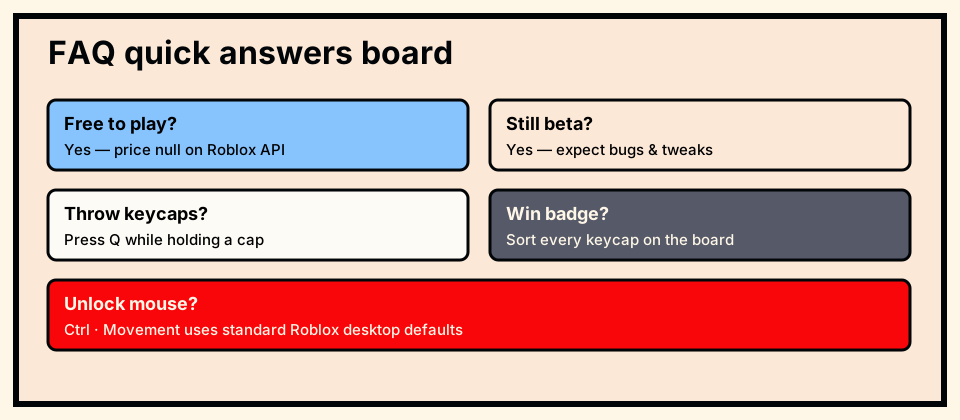
Yes. The Roblox Games API listed a null price for Place the Keycaps, and the store page presents it as free to play with a normal Roblox account and client.
Optional Roblox platform features outside the experience are separate from the game’s own price field and should not be confused with an in-experience purchase requirement.
- Fact from first-party or dated check
- What to do next
- What not to invent
If a third party asks for a password or off-platform payment to “unlock” the experience, treat that as a scam—the official place is free to join.
Is it still in beta?
Yes. The official description states the game is in beta, expects bugs and tweaks, and explicitly asks for player feedback.
Beta means muscle memory can break after a live title bracket appears. Re-check Q, Ctrl, and empty seats before long completion attempts.
- Fact from first-party or dated check
- What to do next
- What not to invent
When reporting issues, include the live title string you saw that day so KEYBOARDS!!!!! can map the build.
What are the controls?
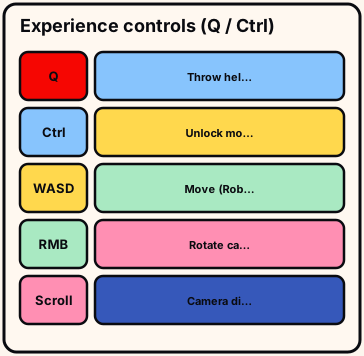
Official experience-specific controls are Q to throw keycaps and Ctrl to unlock the mouse. Other desktop movement uses Roblox defaults unless Help says otherwise.
Mobile and controller experience binds are not listed first-party in the description reviewed for this wiki—follow on-screen prompts instead of inventing a PC keymap.
- Fact from first-party or dated check
- What to do next
- What not to invent
The controls page expands pickup versus place versus throw and common troubleshooting order.
How do I finish and get the badge?
Seat every keycap correctly on the live board. That matches the Sorted All Keycaps description: “You have sorted every keycap!”
Use the completion guide for ordered phases and the checklist for missing groups. There is no published shortcut that skips seating.
- Fact from first-party or dated check
- What to do next
- What not to invent
If the board looks finished but the badge does not award, wait for lag, rejoin once, then perimeter-scan before claiming a badge bug.
Are there codes?
No first-party codes list appeared in the official description or reviewed Roblox metadata as of 2026-07-16.
This wiki does not invent codes. If a code system appears later, it should show in live UI or official announcements first.
- Fact from first-party or dated check
- What to do next
- What not to invent
Ignore undated reward lists. Confirm any future code only inside the canonical Place the Keycaps experience, never via password requests or off-platform downloads.
Who made it, and feedback?
The experience is published by the Roblox group KEYBOARDS!!!!! (id 286191944). Ownership metadata pointed at DragonTStudios when checked.
Developer-facing feedback belongs on the experience page and group channels with reproduction steps, live title, and device.
- Fact from first-party or dated check
- What to do next
- What not to invent
Wiki errors go to contact@placethekeycaps.wiki. This site is independent of KEYBOARDS!!!!! and Roblox and cannot award badges for you.
Why does the live title show [FIXES!]?
Roblox experiences often prefix live titles with update tags. On 2026-07-16 the API name included [FIXES!] Place the Keycaps!.
Those prefixes change. Permanent product naming on this wiki stays Place the Keycaps for stable H1s and bookmarks.
- Fact from first-party or dated check
- What to do next
- What not to invent
Include the live title in bug reports so developers know which build you mean.
Try this before you leave
FAQ practice A: answer free?, beta?, Q/Ctrl?, and badge name? cold without scrolling this page.
FAQ practice B: open the matching deep guide for any wrong answer instead of guessing.
- four cold answers
FAQ practice C: refuse invented codes out loud; only live UI can introduce a code system later.
FAQ practice D: site bugs to contact@placethekeycaps.wiki; game physics to KEYBOARDS!!!!! with steps and live title.
FAQ drill: four cold answers, under two minutes, no scrolling.
Wrong answers route to beginner, controls, completion, or badges—not another skim of FAQ.
FAQ closed when four cold answers are correct. Independent wiki—not KEYBOARDS!!!!! or Roblox. Deep pages own methods. Official description wins after rebinds. No invented codes. Sorted All Keycaps still needs a full clear after you leave FAQ. Prefer deep guides for full methods; keep FAQ as a short doorway only.